OhMyFood began as an OpenClassrooms project. I kept the original submission intact and built a separate V2 when I returned to it with more front-end experience.
I wanted the restaurant concept to carry someone from discovery through a menu and reservation to confirmation.
- Evolution
- OpenClassrooms project → 2026 rebuild
- Stack
- React • TypeScript • Vite • React Router
The original project
OhMyFood is a training project from OpenClassrooms focused on building a responsive website for restaurant discovery and booking. Its original static layout serves as the baseline for the rebuild shown here.
A restaurant guide with a booking flow
I rebuilt the restaurant guide and added a path from menu selection to booking confirmation. The visual redesign came later, after the flow worked.
Restaurant filters live in the URL, and an in-progress menu survives navigation. Switching restaurants asks before replacing that selection.
Availability has loading, empty, and error states. Once a booking is confirmed, its details carry through to the confirmation page for that session.
Route changes move focus to the new page heading, and motion respects reduced-motion preferences. The restaurant data and availability are simulated locally; there is no backend booking service.
The selected dishes and running total stay with you from the menu through the reservation and its confirmation.
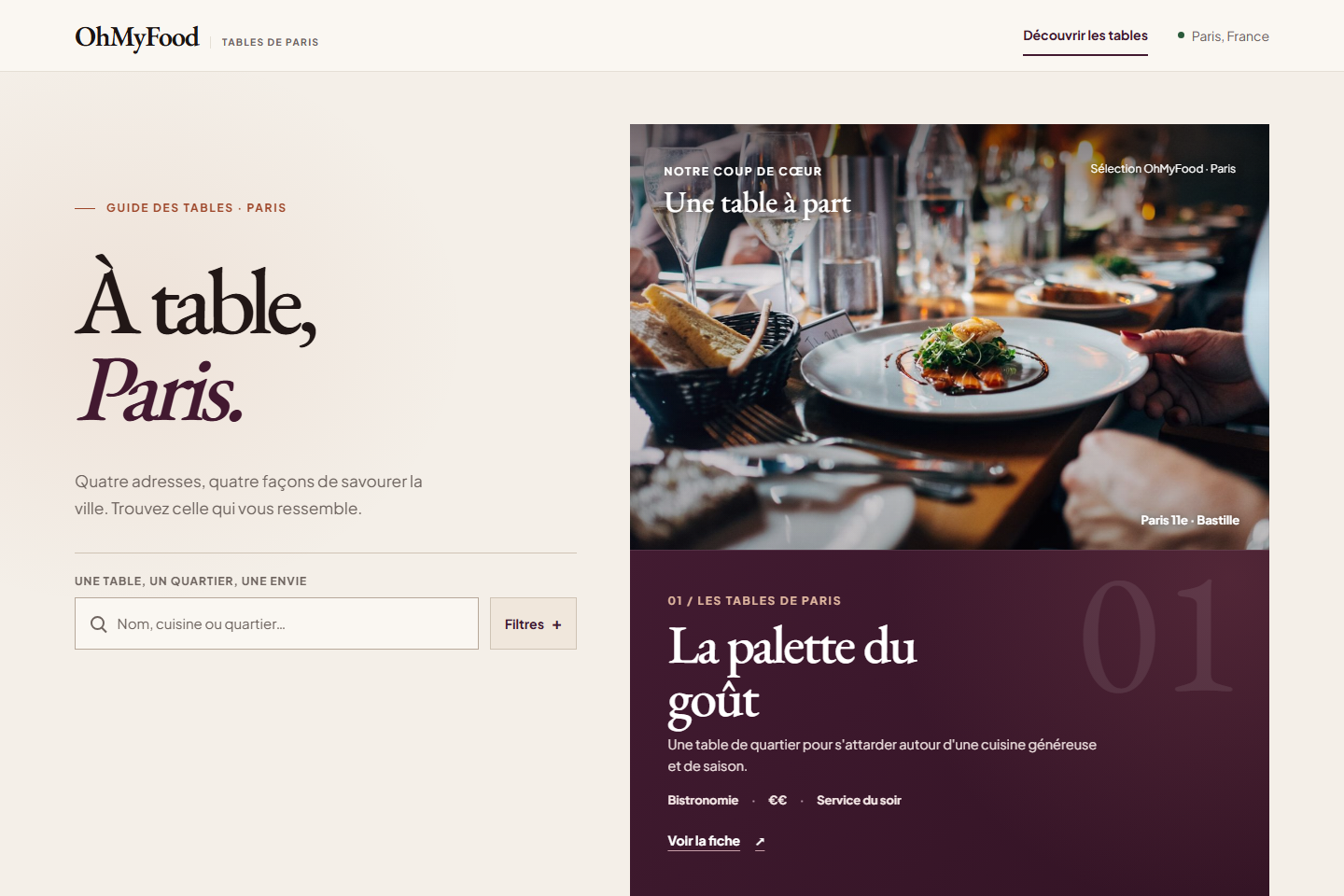
Discovery
Browse restaurants and explore their ambiance, cuisine and ratings in the Paris guide.
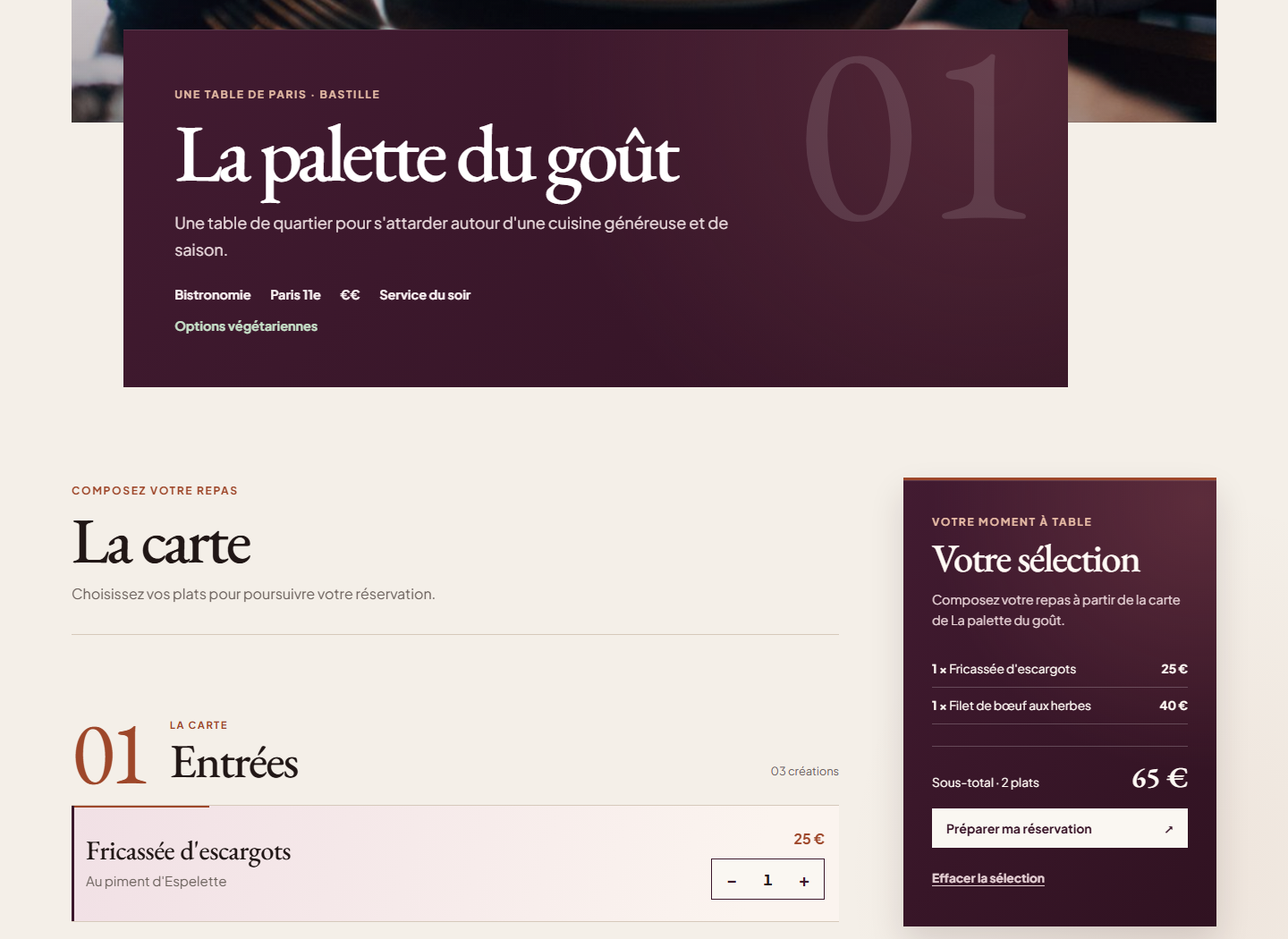
Menu / Tray
View the menu and select dishes to build your tray. The selection and running total stay visible in real time.
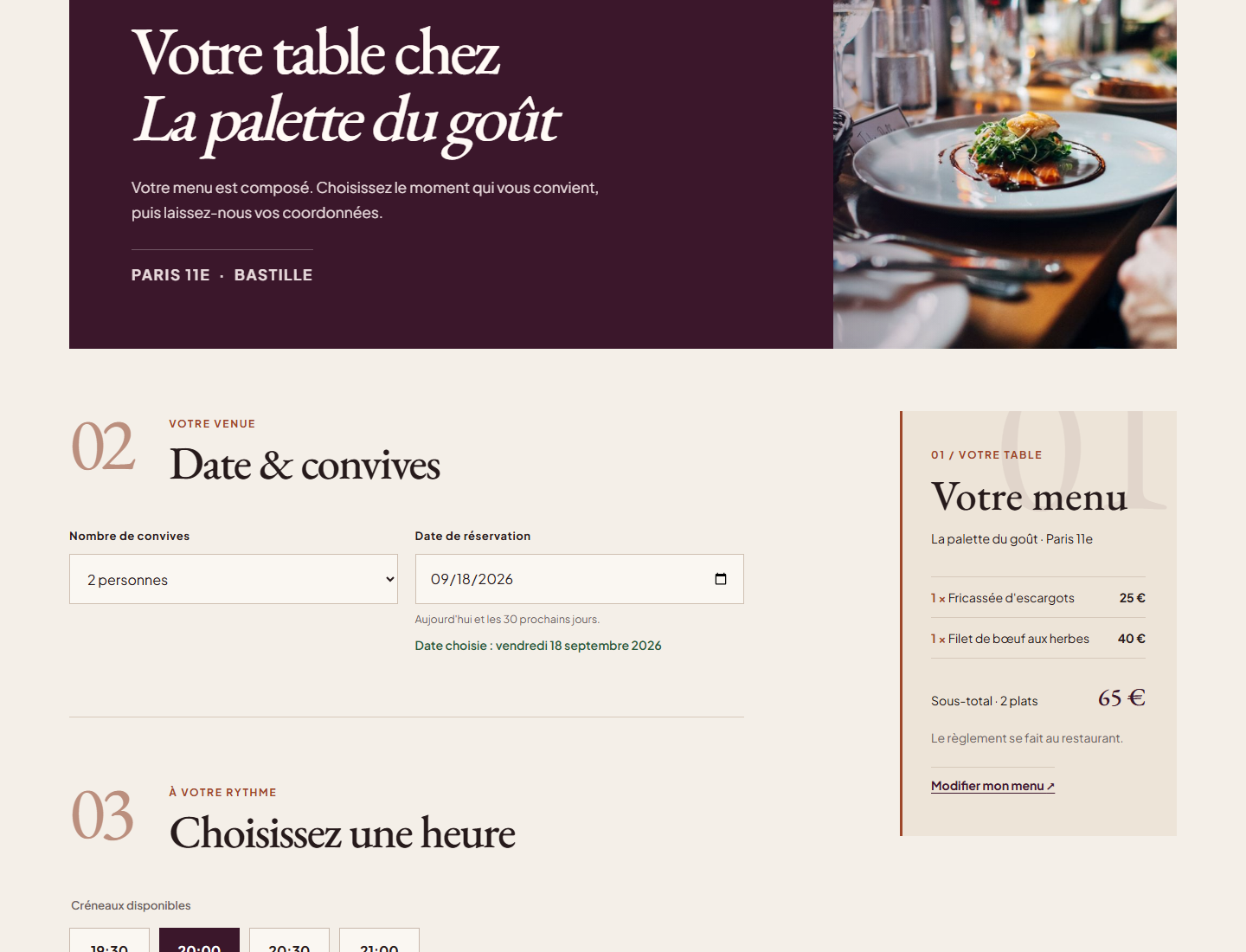
Reservation
Choose date, time and number of guests. The booking view keeps the dishes and total selected on the menu.
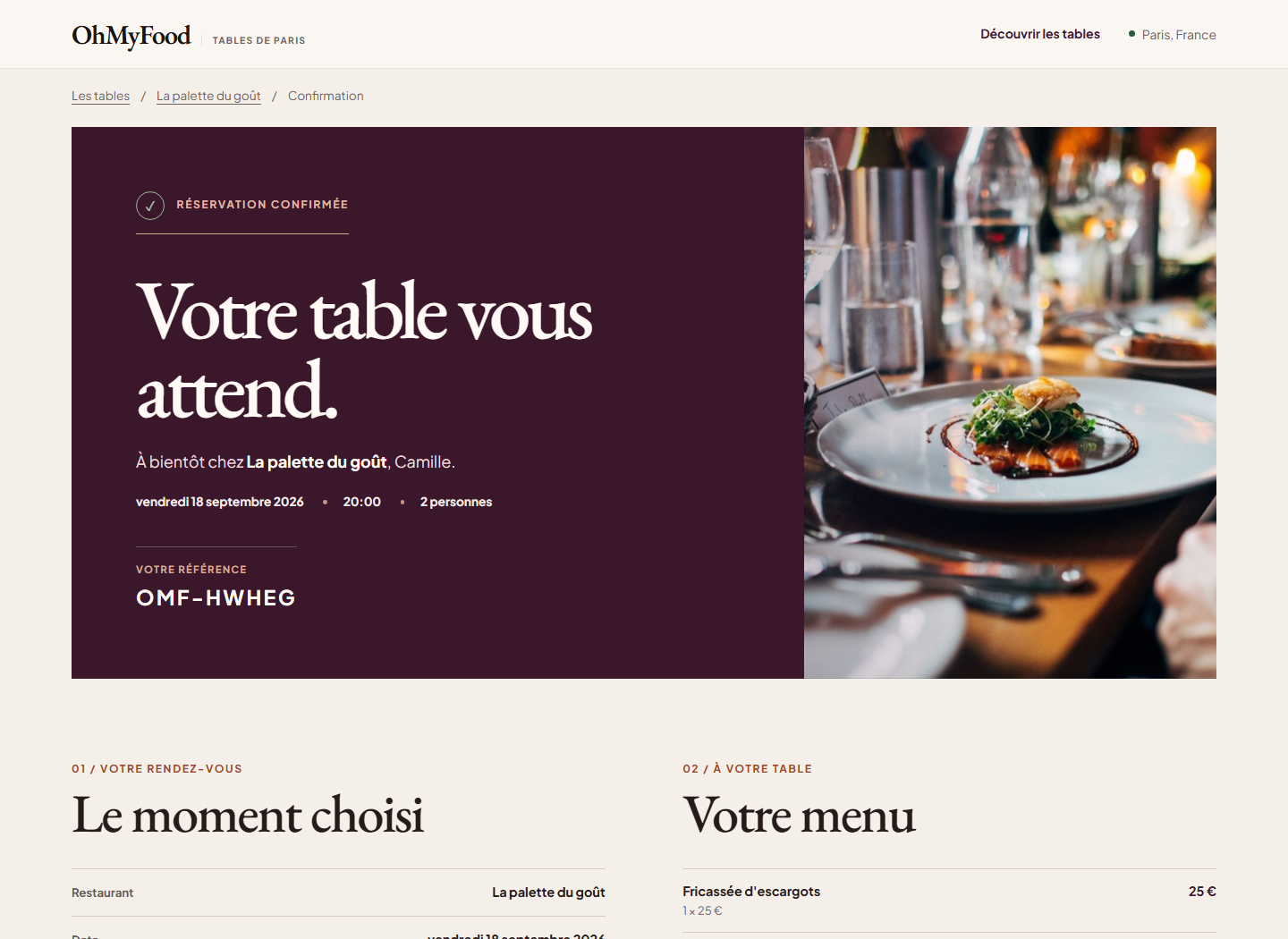
Confirmation
A clear confirmation with all reservation details, reference code, guest count, and selected dishes.
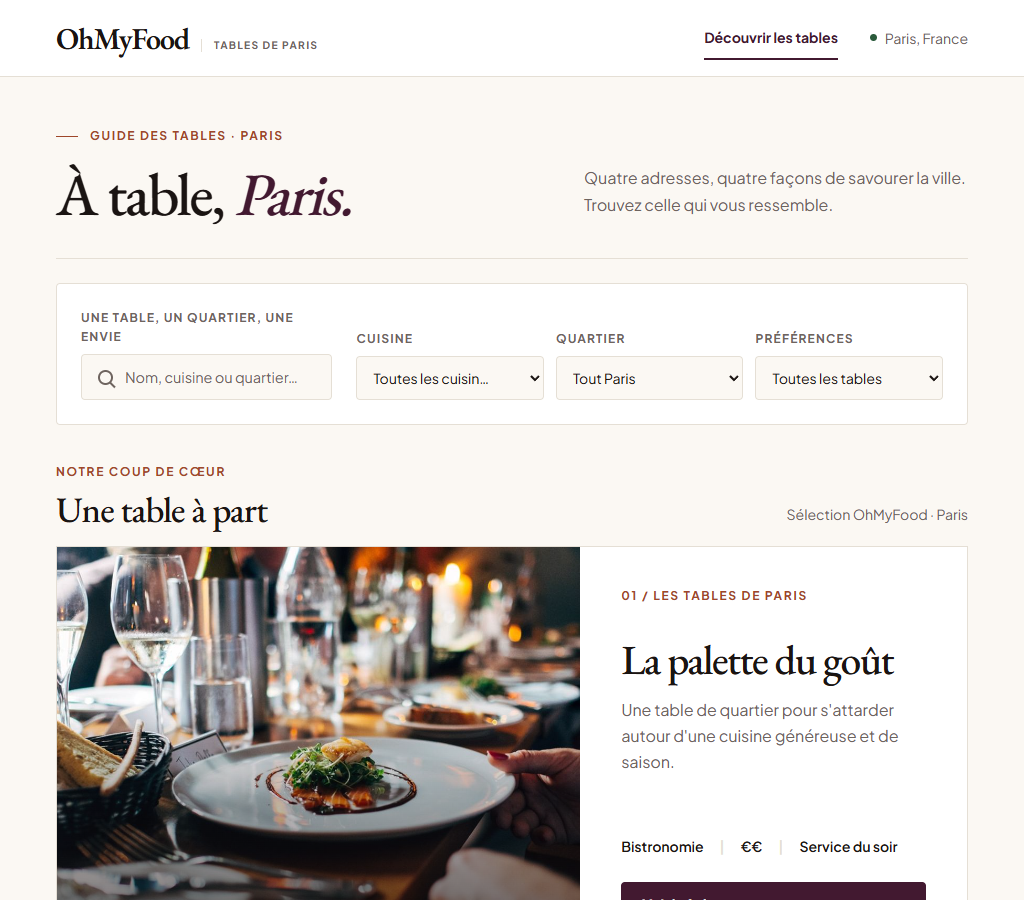
Discovery
Browse restaurants and explore their ambiance, cuisine and ratings in the Paris guide.
OhMyFood V2 discovery page showing La palette du goût in the Paris restaurant guideMenu / Tray
View the menu and select dishes to build your tray. The selection and running total stay visible in real time.
La palette du goût menu with selected dishes and a reservation tray showing the totalReservation
Choose date, time and number of guests. The booking view keeps the dishes and total selected on the menu.
Reservation page for La palette du goût with guest count, date, time, and selected menu summaryConfirmation
A clear confirmation with all reservation details, reference code, guest count, and selected dishes.
Confirmed booking at La palette du goût with reference, date, time, guest count, and menu summaryThe visual pass came last
The original submission met the brief as a static site. V2 adds a booking flow, and the screens below show how I changed its visual direction.
Once the V2 flow worked, I thought I was nearly finished. Looking at the early screen again, I could see the boxes, thin borders, and small labels still carried the school-project feel.
Original version — HTML / Sass
Refined version — React / TypeScript / Editorial UI
It worked. It still looked old.
With the booking journey already working, I went back to the typography, photography, interaction, and motion.
The final direction uses warm parchment surfaces, deep wine contrast (#421930), larger type, and restaurant photography. Motion helps show what changed after an interaction.
What I would change next
In V1, I focused on getting each screen right. V2 made me think about what happens between them: a menu surviving navigation, a booking reaching confirmation, and a visual direction that helps someone choose a restaurant.
Availability is still simulated locally. A production booking would need a backend and live table availability; I would also explore user accounts.
State continuity across routes
Ensuring the in-progress menu and running total survive page navigation without accidental loss.
A visual pass after the flow worked
Replacing boxed templates with warm parchment surfaces, deep wine contrast (#421930), and expressive typography.
Accessible navigation & focus
Moving keyboard focus to the main heading upon route transition and honoring reduced motion preferences.